
In This Article
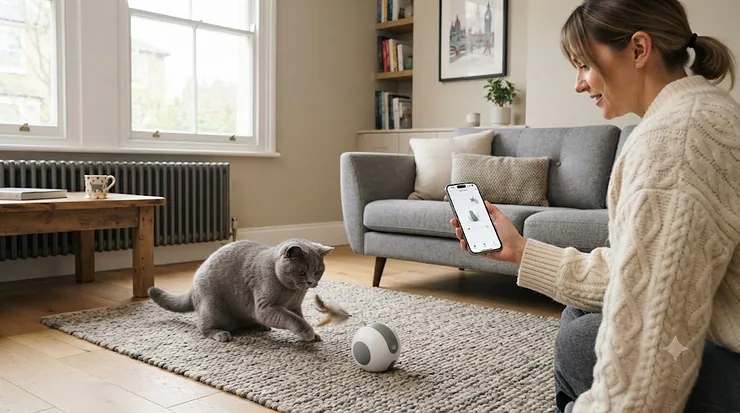
There’s a very specific kind of guilt that hits you at 2pm on a Tuesday when you suddenly picture your cat sat alone in an empty flat, staring at a sunbeam that moved on twenty minutes ago. That guilt is basically the entire reason the app-controlled cat toy for iPhone category exists, and honestly, it’s a fair trade — a few quid and five minutes of setup for the ability to make your cat pounce on demand from a train platform three miles away.

An app-controlled cat toy for iPhone is exactly what it sounds like: a physical toy, ball, laser or robotic camera that pairs with a dedicated iOS app over Bluetooth or WiFi, letting you start play sessions, adjust movement patterns, schedule automatic entertainment, or in some cases watch and talk to your cat, all from your phone. Cats.org.uk notes that some cats do struggle when left alone, and giving them structured, unpredictable play — the kind these toys specialise in — is one of the more practical ways to keep an indoor cat mentally occupied during a long working day.
This guide covers seven real, currently available products, from a budget smartphone-controlled roller to a premium WiFi camera robot, with honest analysis of what each app actually lets you do, which ones handle remote pet monitoring properly, and where cat toy compatibility with your specific iPhone or iOS version might trip you up. Let’s get into the picks.
Quick Comparison Table
Scrolling straight to the table? Fair enough — here’s the fast version, full reasoning below.
| Product | Connection | Best For | Price Range |
|---|---|---|---|
| Instachew PureChase Smart Cat Toy | Bluetooth (Instachew Infinity app) | Budget entry into smartphone controlled cat toy territory | £25-£35 range |
| Petoneer Smart Dot | Bluetooth/app (Petoneer app) | Scheduled laser play, low-effort daily enrichment | £35-£45 range |
| Cheerble Board Game 3.0 | Bluetooth (Cheerble app) | Structured, puzzle-style app cat toy for iOS | £45-£65 range |
| MayMaw KiTiFISH | Bluetooth (MayMaw app) | Multi-cat households, flopping-fish instinct play | £25-£35 range |
| Petronics Mousr | Bluetooth (Mousr app) | AI-driven, most realistic prey-chase experience | £110-£140 range |
| Petcube Play 2 | Wifi cat toy with HD camera | Remote pet monitoring plus interactive laser | £70-£90 range |
| Enabot EBO Air 2S FamilyBot | WiFi robot + camera | Full smart home pet gadgets experience, roams the house | £180-£220 range |
Looking at the spread, there’s a clear line between “toy first, app second” (Instachew PureChase Smart Cat Toy, MayMaw KiTiFISH) and “camera first, toy second” (Petcube Play 2, Enabot EBO Air 2S FamilyBot). Which side of that line matters more depends entirely on whether you’re chasing play value or peace of mind while you’re out. The Petronics Mousr sits in an odd, expensive middle ground — closer to a genuine AI pet than a toy — which is exactly why it costs what it does.
💬 Just one click — help others make better buying decisions too!😊
Top 7 App-Controlled Cat Toys for iPhone: Expert Analysis
Seven real products, spanning budget rollers to premium WiFi robots, each judged on what the app genuinely adds rather than what the packaging promises.
1. Instachew PureChase Smart Cat Toy — cheapest genuine smartphone controlled cat toy
If you want to test whether your cat even cares about app-controlled play before spending big, the Instachew PureChase Smart Cat Toy is the sensible first step. It’s a mouse-shaped roller that connects to the Instachew INFINITY app, letting you drive its 360-degree rotation and adjust speed directly from your phone rather than relying purely on its automatic random-movement mode.
The flip-mode design means it keeps working even when your cat inevitably knocks it onto its other side — a small detail that matters more than it sounds, since a toy that dies the second it tips over gets ignored within a week. Based on the spec comparison with pricier rivals, this is the toy for households testing the waters rather than committing to a full smart home pet gadgets setup; it lacks scheduling or camera features entirely, which is precisely why it’s cheap. Aggregated buyer feedback frequently mentions the micro-USB charging port as slightly dated compared with USB-C rivals, and a recurring comment is that the app’s manual control feels a touch laggy over Bluetooth compared with dedicated WiFi cat toy options.
Pros:
- ✅ Genuinely low entry price for app-controlled play
- ✅ Flip mode keeps working from either side
- ✅ Simple app pairing without account setup hassle
Cons:
- ❌ No scheduling or camera features included
- ❌ Micro-USB charging feels dated next to USB-C rivals
At roughly £25-£35, it’s an easy way to find out if app-controlled play is worth investing further in before you commit to anything pricier.
2. Petoneer Smart Dot — scheduled laser play with minimal effort
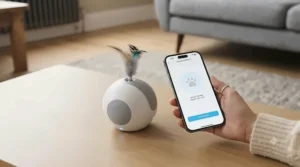
The Petoneer Smart Dot takes a completely different approach to entertainment: instead of a physical toy your cat bats around, it’s a small laser projector controlled entirely through the Petoneer app, using your phone’s own motion sensors so tilting your handset moves the laser dot in real time. Three trajectory patterns and three laser angles give it more variety than a single fixed-pattern laser toy, and the one-tap scheduling means you can set it to fire up automatically at the same time every afternoon without touching your phone at all.
Here’s what most buyers overlook about laser toys generally: without a physical “catch” at the end, some behaviourists suggest cats can find laser-only play frustrating over time, so pairing scheduled Smart Dot sessions with an occasional physical toy is worth considering rather than relying on the laser exclusively. Based on the spec comparison, the Smart Dot suits owners who want genuinely hands-off enrichment during a working day rather than active remote play, and reviewers consistently highlight the scheduling feature as the standout reason to buy it, while a common complaint is that the gravity-based manual steering takes a session or two to get used to.
Pros:
- ✅ One-tap scheduling for genuinely hands-off enrichment
- ✅ Three trajectory patterns add real variety
- ✅ Compact enough to leave permanently on a shelf
Cons:
- ❌ Laser-only play lacks a physical “catch” moment
- ❌ Manual steering has a learning curve at first
Sitting around £35-£45, it’s a reasonable price for a toy that does most of its work while you’re not even looking at your phone.
3. Cheerble Board Game 3.0 — most structured app cat toy for iOS
Where most entries on this list are a single ball or mouse, the Cheerble Board Game 3.0 is a full play system: a physical board with tracks and peek-holes paired with a smart ball that connects to the Cheerble app. The ball rolls, hides, and reappears through the board’s openings, and the app lets you switch between gentle, normal and active speed settings plus schedule sessions in advance — genuinely useful if your cat’s energy levels shift noticeably between morning and evening.
What the spec sheet won’t tell you is how much the physical board changes the play pattern compared with a ball rolling freely on your floor: the structure forces more paw-swiping and less full-body chasing, which suits older cats or smaller flats better than an open-plan ball roller would. Based on the spec comparison, this is the strongest pick here for anyone whose cat gets bored of predictable toys quickly, since the combination of app-driven speed variation and physical structure keeps sessions feeling different each time. Reviewers consistently rate it as the most “complete” package in the app cat toy for iOS category, with an occasional complaint that the board itself takes up more shelf or floor space than a standalone ball.
Pros:
- ✅ Physical board adds structure most ball toys lack
- ✅ Three app-adjustable speed settings for mood matching
- ✅ Scheduled play sessions built into the app
Cons:
- ❌ Takes up noticeably more space than a single ball
- ❌ Priciest of the mid-range options on this list
Priced around £45-£65, it’s a fair ask for what amounts to a genuine play system rather than a single gadget — worth it if your cat treats most toys as old news within days.
4. MayMaw KiTiFISH — best for multi-cat households
Flopping fish toys tap into a slightly different instinct than rolling balls or lasers, and the MayMaw KiTiFISH leans into that with an app-controlled version connected via Bluetooth to the MayMaw app. Rather than one continuous motion, it alternates flopping and pausing in a way that mimics a dying fish far more convincingly than the battery-only versions of this toy that have been around for years.
The genuine upgrade over non-app fish toys is unpredictability: because movement timing is app-adjustable rather than fixed on a single internal pattern, multiple cats sharing a home are less likely to lose interest simultaneously, since you can vary the rhythm between sessions. Based on the spec comparison with the pricier board-and-ball systems above, the KiTiFISH suits households prioritising instinct-triggering realism over structured programming, and aggregated reviews describe it as one of the more convincing “prey” textures for cats that ignore rigid plastic toys, with a recurring complaint that the outer fabric shows wear faster than harder-shelled competitors after months of biting.
Pros:
- ✅ Convincing flopping motion beats fixed-pattern rivals
- ✅ App-adjustable timing keeps multiple cats engaged
- ✅ Soft textured shell feels more like real prey
Cons:
- ❌ Fabric shell wears faster than hard-shell toys
- ❌ Requires more frequent recharging than rigid rollers
At around £25-£35, it’s genuinely good value for a multi-cat household where standard fixed-pattern toys tend to get abandoned within a week.
5. Petronics Mousr — the closest thing to an AI-driven prey chase
If budget genuinely isn’t the deciding factor, the Petronics Mousr is the most sophisticated toy on this list by a wide margin. Built around infrared sensors and an inertial movement unit, it detects when your cat is approaching or has “caught” it, and reacts accordingly — evading, freezing, or triggering built-in sound effects — while the companion app (iOS and Android, connected via Bluetooth) lets you switch between fully manual joystick control and one of several automated behaviour programs.
What genuinely sets it apart, based on the spec comparison with every other toy here, is that it’s reacting to your specific cat’s movements in real time rather than running a pre-set pattern regardless of what’s happening around it — this is the difference between a toy and something closer to a very simple AI opponent. The replaceable tail (a feather attachment or a catnip pouch on string) lets you tune which instinct it triggers, and reviewers consistently describe cats reacting with far more sustained interest than to standard battery toys, though a recurring complaint is that battery life tops out at roughly fifteen to twenty minutes of aggressive chase before it needs recharging in its docking house.
Pros:
- ✅ Reacts intelligently to your cat’s real movements
- ✅ Manual and automated modes via the same app
- ✅ Swappable tail attachments change the play style
Cons:
- ❌ Significantly pricier than every other entry here
- ❌ Battery life is short during intense chase sessions
Expect to pay in the £110-£140 range, which is a genuinely premium price for what is, underneath the sensors, still a plastic mouse — but the reactive behaviour is doing real work to justify it.
6. Petcube Play 2 — best wifi cat toy for remote pet monitoring
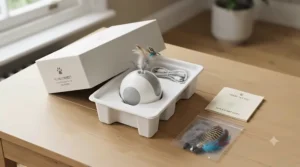
This is where the category shifts from “toy with an app” to “camera with a toy attached,” and the Petcube Play 2 is the clearest example. It’s a 1080p HD WiFi camera with a 160-degree wide-angle view, two-way audio, night vision, and a built-in laser you control by moving your finger across the live video feed in the app — genuinely useful remote pet monitoring wrapped around genuinely usable interactive play, rather than the other way round.
The technical requirements matter here more than with any Bluetooth-only toy on this list: Petcube specifies iOS 14 or higher and a 2.4GHz password-protected WiFi network, so cat toy compatibility with your specific home network setup is worth double-checking before you buy, particularly if your router only broadcasts 5GHz. Based on the spec comparison, this suits people who want reassurance while they’re out as much as entertainment for the cat — the sound and motion alerts notify you of activity even when you’re not actively watching, and reviewers consistently praise the video quality for the price, while a fairly common complaint concerns the ongoing subscription needed for extended cloud video history beyond the free tier.
Pros:
- ✅ Genuine 1080p remote pet monitoring, not just a toy
- ✅ Two-way audio lets you talk to your cat live
- ✅ Autoplay laser mode works without you present
Cons:
- ❌ Requires a 2.4GHz WiFi network specifically
- ❌ Full video history needs a paid subscription
At around £70-£90, it sits at a sensible mid-premium point for a genuine WiFi cat toy that doubles as a proper home camera — arguably the best all-rounder if peace of mind matters as much as play.
7. Enabot EBO Air 2S FamilyBot — the full smart home pet gadgets experience
At the top of the range sits the Enabot EBO Air 2S FamilyBot, a self-balancing rolling robot with a 2.5K camera, two-way audio and app-driven movement around your entire home rather than a fixed spot. Worth noting upfront: unlike the Petcube, it doesn’t include a built-in laser, so its “toy” value comes entirely from movement — cats chase and bat at the rolling robot itself, and the app lets you drive it manually around your flat while watching the live feed.
That distinction matters for cat toy compatibility with your actual living situation: in a small flat, a mobile camera-toy that can follow your cat between rooms is arguably more valuable than a fixed WiFi camera, while in a single-room setup the Petcube’s laser feature will likely see more actual play use. Based on the spec comparison, this is the most genuinely “smart home pet gadgets” entry on the list — auto-recharging dock, dual-screen expressive eyes, and up to four hours of continuous movement per charge — and reviewers consistently mention using it to check on pets while working away from home, with a recurring complaint that the ongoing WiFi connection occasionally drops during extended sessions, requiring an app reconnect.
Pros:
- ✅ Roams the whole home rather than staying fixed
- ✅ 2.5K camera with genuinely useful two-way audio
- ✅ Auto-recharge dock removes manual charging hassle
Cons:
- ❌ No built-in laser despite the premium price
- ❌ Occasional WiFi drops during longer sessions
At around £180-£220, it’s a serious investment, and one best justified by wanting a mobile home-and-pet monitor first, with cat entertainment as a genuine but secondary benefit.
Practical Usage Guide: Setting Up Your App-Controlled Cat Toy
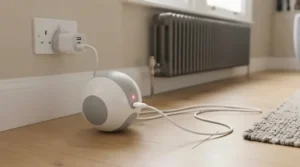
Setup for Bluetooth toys like the Instachew PureChase Smart Cat Toy or Petronics Mousr is usually a straightforward pairing process: charge fully before first use, open the dedicated app, and follow the on-screen discovery prompt. If pairing fails on the first attempt, Apple’s own guidance on troubleshooting a Bluetooth accessory that won’t connect to an iPhone covers the basics worth trying before assuming the toy itself is faulty — unpairing and re-putting the accessory into discovery mode solves more issues than people expect.
WiFi-based devices like the Petcube Play 2 and Enabot EBO Air 2S FamilyBot need a bit more care: both currently require a 2.4GHz network specifically, so if your router broadcasts a combined or 5GHz-only signal, you may need to temporarily split your network bands during setup. A common first-week mistake is placing a camera-based toy somewhere with weak WiFi signal (behind a sofa, in a hallway) purely because that’s where the cat naturally spends time — reposition for signal strength first, then work out how to angle it toward your cat’s favourite spots second.
For any app-controlled toy, resist scheduling maximum-intensity sessions daily from day one. Start with five to ten minute sessions two or three times a day, watch how your cat actually responds to the specific movement pattern, and adjust speed or laser intensity through the app based on that rather than assuming faster is automatically better.
Real-World Scenarios: Which Smart Cat Toy Fits Your Life
Picture Tom, 29, who works long hours in an office and has started noticing his indoor cat scratching furniture more than usual by the time he gets home. His issue is boredom during long unsupervised stretches, so a scheduling-first option like the Petoneer Smart Dot or Cheerble Board Game 3.0 — both capable of running structured sessions without him touching his phone — makes more sense than a toy requiring active manual control he won’t have time for.
Then there’s Priya, 41, who travels for work every few weeks and worries specifically about her elderly cat while she’s away. For Priya, remote pet monitoring matters more than raw play value, making the Petcube Play 2 or Enabot EBO Air 2S FamilyBot the sensible pick — both let her check in visually and hear how her cat is doing, not just trigger a toy blindly.
Finally, consider Jamal, 24, who has two young, high-energy cats sharing a small flat and wants something that keeps both engaged without his constant involvement. The MayMaw KiTiFISH‘s app-adjustable unpredictability, or the Petronics Mousr‘s reactive chase behaviour if budget allows, suit that multi-cat, high-energy scenario far better than a single fixed-pattern laser would.
Problem → Solution: Fixing Common App-Controlled Toy Issues
The most common complaint across every product category here is the cat losing interest within a week or two — and the fix usually isn’t a better toy, it’s rotation. Cats habituate to predictable stimuli quickly regardless of how sophisticated the app is, so switching between two or three toys rather than relying on one permanently plugged-in gadget keeps novelty higher for longer.
A second frequent issue is Bluetooth range: most app-controlled toys lose reliable connection somewhere between five and ten metres indoors, especially through walls, so if you’re trying to drive a toy manually from another room and it’s lagging or dropping out, that’s very likely a range issue rather than a fault with the toy itself. Third, WiFi camera-based toys occasionally struggle with dual-band routers defaulting to 5GHz — if setup repeatedly fails to find the device, check your router settings for a way to temporarily broadcast a separate 2.4GHz network name during pairing. Finally, laser-only toys can leave cats slightly wound up without a physical “win,” so following an automated laser session with a brief physical toy or a small treat helps close out the hunting sequence properly rather than leaving it unresolved.
How to Choose an App-Controlled Cat Toy for iPhone
With seven very different options above, here’s the reasoning to cut through the decision:
- Decide whether you want a toy or a monitor first. A camera-based option like the Petcube Play 2 does both, but a dedicated toy like the Cheerble Board Game 3.0 delivers more actual play per pound if monitoring isn’t your priority.
- Check your connection type against your home setup. Bluetooth toys are simpler to pair but have shorter range; WiFi cat toy options need a stable, ideally 2.4GHz, network.
- Match toy type to your cat’s play style. Chasers respond to rolling balls and robotic mice; ambush hunters often prefer a laser they can pounce on suddenly.
- Consider multi-cat dynamics if relevant. The MayMaw KiTiFISH‘s adjustable timing helps prevent one dominant cat from monopolising the toy.
- Factor in scheduling if you’re out long hours. Not every toy offers it — the Petoneer Smart Dot and Cheerble Board Game 3.0 both do, which matters more than raw speed settings for a working household.
- Check iOS compatibility before buying, not after. Older iPhones on outdated iOS versions occasionally can’t run the latest app builds — check the App Store listing’s minimum requirement first.
- Budget for battery habits, not just purchase price. A toy with a twenty-minute battery life like the Petronics Mousr needs a different charging routine than an always-on camera robot.
App-Controlled Cat Toys vs Traditional Toys
It’s worth being honest about what app control actually buys you over a £3 feather wand, because the answer isn’t “better play” across the board.
| Toy Type | Best Mechanism | Limitation | Best For |
|---|---|---|---|
| App-controlled toy (e.g. Cheerble Board Game 3.0) | Remote/scheduled play without you present | Setup and charging overhead | Busy owners, structured enrichment |
| Traditional wand toy | Direct human-led interaction | Requires you to be present and active | Bonding time, precise control |
| Fixed laser pointer (non-app) | Cheap, simple, instant | No scheduling, no variety over time | Occasional spontaneous play |
| Smart camera toy (e.g. Petcube Play 2) | Combines monitoring with play | Higher price, ongoing subscription options | Owners who travel or work long hours |
The honest verdict is that app control solves a specific problem — entertainment and reassurance when you’re not physically present — rather than making play inherently better than a wand toy in your hand. A Petronics Mousr or Cheerble Board Game 3.0 genuinely earns its place for the hours you’re out, but neither replaces five minutes of direct, hands-on play when you’re home; the two are complementary tools rather than competing ones.
Cat Toy Compatibility: iOS Requirements Explained
Compatibility issues are one of the most avoidable frustrations in this category, and they trip up more buyers than the toys’ marketing pages let on. Bluetooth-only toys like the Instachew PureChase Smart Cat Toy and Petronics Mousr tend to have fairly forgiving iOS version requirements, usually working from several major versions back, since Bluetooth Low Energy pairing hasn’t changed dramatically in recent years. WiFi camera-based products are stricter: Petcube specifies iOS 14 and above for the Petcube Play 2, and similar minimum-version requirements are common across this category precisely because live video streaming and cloud features rely on more recent operating system frameworks.
Before buying, check the specific app’s App Store listing for its minimum iOS version against whatever your iPhone is currently running, and if you’re on an older handset that no longer receives full iOS updates, lean toward the simpler Bluetooth toys on this list rather than the camera-based options. If a paired toy stops responding after an iOS update, working through the Bluetooth accessory troubleshooting steps mentioned earlier is worth trying before contacting the toy manufacturer, since re-pairing after a major update resolves a surprising number of these issues on its own.
Remote Pet Monitoring: What WiFi Cat Toys Can (and Can’t) Do
Remote pet monitoring has genuinely improved the honest peace-of-mind case for these products, but it’s worth being precise about what a WiFi cat toy like the Petcube Play 2 or Enabot EBO Air 2S FamilyBot actually delivers versus what marketing copy implies. Both let you see and hear your cat live, and both let you trigger interactive elements (a laser or physical movement) remotely — genuinely useful if you want to check in during a long day or reassure yourself an anxious cat has settled.
What they don’t do is replace a proper welfare check for a genuinely unwell or distressed animal, and neither should be treated as a substitute for arranging a cat sitter or neighbour check-in on a trip longer than a working day. PDSA’s vet guidance notes that cats showing genuine distress signs when left alone may need behavioural support beyond what any toy or camera can provide, and a camera is a monitoring tool rather than a treatment. Used sensibly, the mobile monitoring feature on the Enabot EBO Air 2S FamilyBot in particular — since it can follow your cat between rooms rather than watching one fixed spot — gives a genuinely fuller picture of how your cat spends an empty afternoon than a static camera ever could.
Smart Home Pet Gadgets: Privacy and Security Basics
Bringing any WiFi-connected camera into your home, pet-focused or not, is worth a moment’s thought about basic security hygiene, and this applies directly to products like the Petcube Play 2 and Enabot EBO Air 2S FamilyBot. The UK’s National Cyber Security Centre publishes practical guidance on using smart security cameras safely at home, and the core principles apply just as much to a pet camera as a doorbell camera: change default passwords immediately, keep the companion app updated, and enable two-factor authentication on the account if the manufacturer offers it.
It’s also worth genuinely reading what each app’s privacy settings expose before granting camera and microphone permissions blindly — most pet camera apps default to broad access during setup, and it’s worth reviewing exactly what gets recorded, whether footage saves locally or to the cloud, and who else in your household (or beyond it) has access to the live feed once it’s set up. None of this should put you off the category, but treating a pet camera with the same basic caution as any other smart home pet gadget is simply sensible.
Common Mistakes When Buying an App-Controlled Cat Toy for iPhone
The single most expensive mistake is buying the most feature-packed, premium option assuming more technology automatically means more engagement — a genuinely shy or older cat may respond far better to the simple, gentle roll of the Instachew PureChase Smart Cat Toy than to a robot rolling unpredictably around their space. A close second is ignoring connection type entirely; buying a WiFi-dependent camera toy for a home with patchy router coverage in the room your cat prefers sets the whole purchase up to underperform regardless of the toy’s actual quality.
Buyers also frequently skip checking their specific iPhone’s iOS version against the app’s stated minimum requirement, only discovering incompatibility after the toy arrives — always check the App Store listing before ordering, not after. Finally, many people buy based purely on the toy’s marketed play features while overlooking the ongoing subscription costs some camera-based options require for full video history or cloud storage, effectively turning a one-off purchase into a recurring one.
Long-Term Value: Battery Life, Durability & App Support
Cost-per-use again tells a more honest story than sticker price alone. A £25-£35 Instachew PureChase Smart Cat Toy, used daily for a year, works out to pennies per session provided the rechargeable battery holds up, though budget toys in this category tend to see battery degradation faster than premium options after twelve to eighteen months of regular charging cycles. Premium picks like the Petcube Play 2 and Enabot EBO Air 2S FamilyBot, at £70-£220, need sustained multi-year use to justify their price purely on a cost-per-use basis, but their added remote pet monitoring value arguably pays for itself the first time it genuinely reassures you during a stressful day away from home.
App support is the less obvious long-term factor worth weighing: a toy is only as good as the company still maintaining its companion app, and smaller manufacturers occasionally discontinue app updates faster than the hardware itself wears out, leaving a perfectly functional toy stranded without iOS compatibility after a future update. Sticking with established brands — as every product on this list is — reduces that risk, but it’s worth checking recent App Store reviews for update frequency before buying into any smart home pet gadgets ecosystem long-term.

Frequently Asked Questions
❓ What is the best app-controlled cat toy for iPhone overall?
❓ Do app-controlled cat toys work with all iPhone models?
❓ Can I control a WiFi cat toy from outside my home?
❓ Are app-controlled cat toys safe to leave running unsupervised?
❓ Is a Bluetooth or WiFi cat toy better for a small flat?
Conclusion
If there’s one honest takeaway here, it’s that the best app-controlled cat toy for iPhone isn’t the one with the most features — it’s the one matched to what you’re actually trying to solve. If it’s pure entertainment on a budget, the Instachew PureChase Smart Cat Toy or MayMaw KiTiFISH do the job without overcomplicating things. If structured, scheduled play matters more because you’re genuinely out of the house for long stretches, the Petoneer Smart Dot and Cheerble Board Game 3.0 earn their higher prices through smarter scheduling rather than flashier hardware.
For anyone whose real priority is remote pet monitoring rather than play alone, the Petcube Play 2 remains the most balanced choice, while the Enabot EBO Air 2S FamilyBot suits larger homes where a fixed camera simply can’t follow the action. And if money genuinely isn’t the constraint, the Petronics Mousr‘s reactive AI-driven chase is the closest thing to giving your cat a real hunt from your sofa. Whichever you choose, check cat toy compatibility against your specific iPhone and home WiFi setup before buying, start with shorter sessions than you think you need, and remember that no gadget, however smart, fully replaces five minutes of you on the floor with a feather wand.
Recommended for You
- Remote Control Cat Toy for Multiple Cats: 7 Best Picks (2026)
- Robotic Cat Toy vs Remote Control Cat Toy: 7 Best Picks (2026)
- Motion Sensor Cat Toy for Indoor Cats: 7 Top Picks (2026)
Disclaimer: This article contains affiliate links. As an Amazon Associate, I earn from qualifying purchases. If you purchase products through these links, we may earn a small commission at no additional cost to you.
✨ Found this helpful? Share it with your friends! 💬🤗
